Ransomware – The Biggest Cybersecurity Threat Today

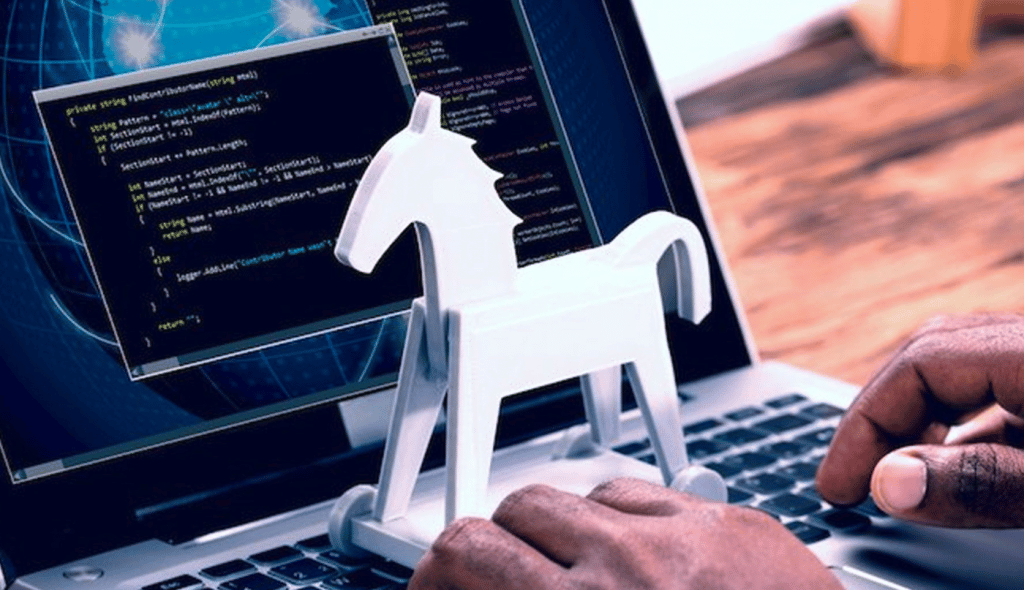
Ransomware is a type of malware that encrypts a victims device entirely and then demands a monetary fee, or ransom, for the safe release of the data. During this time, the victim cannot access any of their files. Ransomware is a sophisticated type of virus, and will often laterally spread across a network, allowing it take down large scale organizations like hospitals in seconds. Though it only became more popular in the last decade, Ransomware has become the number one threat in the cybersecurity world. Ransomware operators can generate billions of dollars in a successful attack campaign.

Owing to its sophistication is the encryption Ransomware uses, namely asymmetric. This cryptography uses a key pair to encrypt and decrypt files, and are unique. The private key is used for decryption, and this is what is handed over if the ransom is paid. While in the majority of cases decryption has been impossible without the private key, there has been attacks tha savvy researchers were able to foil by reverse-engineering the ransomware strain and revealing the private key.

There are hundreds if not thousands of ransom variants. The most common attack vector is through phishing, but there a litany of other methods also.

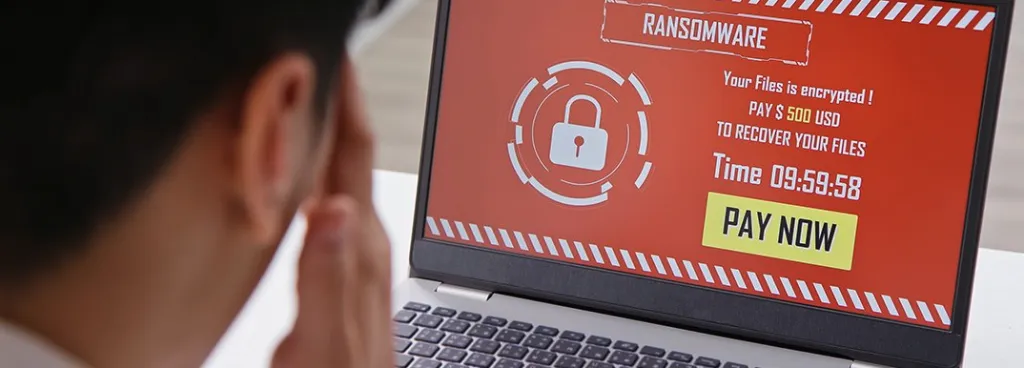
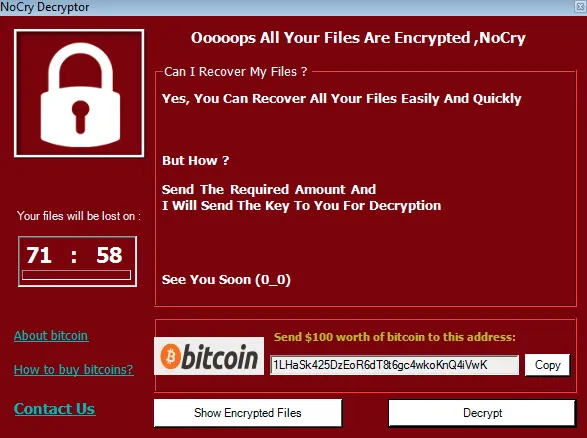
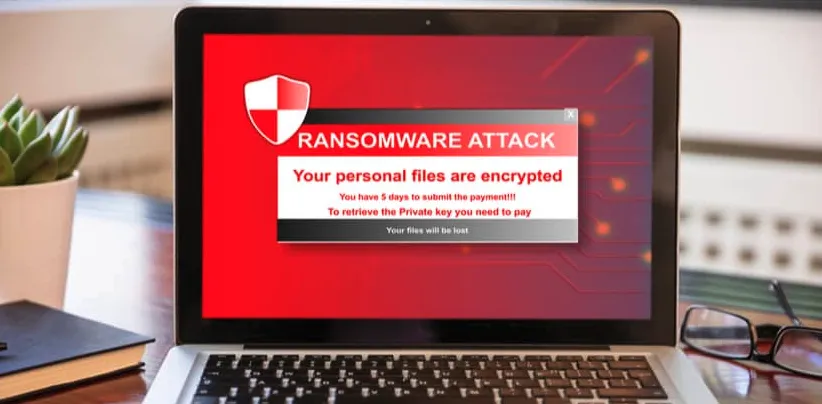
Once files have been encrypted, the ransomware will leave a ransom note on the system, explaining the terms of the ransom to the victim. Usually they are given a short window to comply – 24 to 72 hours is most common.

If a data backup is not available, or the backup has been encrypted, the victim will need to pay to recover the attacks.

In the last decade, new technology has allowed ransomware to flourish. Malware kits are cheap to buy, and allow hackers to create strains instantly.

In fact, many ‘hackers’ behind Ransomware aren’t hackers at all. Ransomware is sold online (Known as Ransomware as a Service, or RaaS) for a cheap price, and a portion of the profits are given to the developer.

Cryptocurrency has long been the payment method for Ransomware, given it anonymous nature.

Ransomware has only gone from strength to strength, and given its ability to generate cash for its operators, it’s unlikely to go anywhere soon. It has been used in corporate attacks, attacks on the home, and very often in cyber warfare between nations. Today, we’ll look at some of the biggest Ransomware attacks that occured over the summer of 2022.

The History of Ransomware
Ransomware

Despite its surge in popularity in recent years, the genesis of Ransomware occured quite a long time ago. In the 1980s, one of the first ransomware strains appeared, dubbed the AIDS trojan. It was issued via floppy disk, and victims would ned to send nearly 200 dollars to a P.O. box in Pana to restore access to their network. It was a fairly simple virus, using symmetric cryptography, but those simple beginnings wouldn’t take long to evolve.

Ransomware chugged a long for a few years, but the big issue was payments. In the 90’s and 2000s, payments were possible online but were in no way anonymous. This changed with the advent of cryptocurrency, Bitcoin specifically. This gave criminals the ability to demand ransoms anonymously. Cryptocurrency was the catalyst for ransomware to take the dominant spot amongst its malware peers.

The firstly truly sophisticated ransomware strain in this era was CryptoLocker, in 2013. Not only did it use cryptocurrency for payment, it came with a new type of encryption – 2048 RSA key pairs. The Ransomware also connected to a command-and-control center. Decryption of infected machines was available for $300.

Eventually, CryptoLocker was shut down by the FBI within 7 months of its inception. Despite this, it left a huge inprint in the hacker community.

Within months, CryptoLocker clones appeared all over the web. Older hacking gangs shifted focus – Instead of peddling adware or fake antivirus, everyone in the scene was now in the Ransomware game. The Dark Web marketplace exploded with illicit goods gotten from ransomware attacks.

Ransomware attacks began more percise. Instead of tossing a net out, savvy malware developers focused in on large companies and organizations. This lead to the big payouts – Ransom amounts in the millions.

And since then, Ransomware has continued on this path. It only gets more sophisiticated, and the ransoms only get bigger.

Italian Energy Provider Taken Out
Ransomware

Italy’s national energy service, the GSE, was recently hit by the Blackcat/ALPHV ransomware gang. GSE is publicly owned, and supplies renewable energy across the country. A spokesperson for the company stated that its websites and systems were taken offline in an attempt to halt the spread of the ransomware across the network. These systems were offline for over a week.

Italian authorities are still investigating the issue, and researchers are still trying to determine what data was compromised.

Before GSE disclosed details of the attack, BlackCat added a new entry to its leak site, which was claimed to be over 700GB of files from the energy company – A sizeable amount of data.

According to the hackers, they stole confidential data, including contracts, reports, project information, accounting documents, and other internal documentation.

The GSE attack comes not long after a similar attack on another Italian energy company with over 31,000 employees. This attack had less severe effects on the company.

BlackCat are no strangers to ransomware attacks on energy companies. Earlier in the year, they attacked Creos Luxembourg S.A., a central european pipeline company. Around this time they also hit German petrol company Oiltanking.

BlackCat launched in Novemeber last year. Most believe it to be a rebranding of the Darkside gang.

Darkside was taken offline last year after the Colonial Pipeline attack, which drew the spotlight from the FBI.

Darkside/Blackcat are considered one the best and most lethal ransomware gangs operating in the world currently. Hitting energy companies across Europe, especially when the Union is in an energy-crisis, shows that its operators will stop at nothing to get a sizeable ransom.

BlackCat also began deploying extortion tactics lately, and launched a searchable database with all its victims for information-buyers.

In April, the FBI warned that BlackCat has “extensive networks and experience with ransomware operations” as they had breached more than 60 entities worldwide between November 2021 and March 2022.

Clothing Giant Damart Face Hive Ransomware Gang

The French clothing company, Damart, has been hit in a ransomware attack by the Hive ransomware gang, who demanded $2 million. The company has nearly 150 outlets around the globe.

Many of Damarts systems have been encrypted since mid-August, and operations have largely been disrupted.

The ransom note was leaked and made it into the hands of reporters at LeMagIT. The note states that negotiation is off the table, and payment should be made in full.

Damart has not attempted to contact the hackers yet, but the police are aware of the incident. This makes it unlikely that the payment will be made.

The initial infection appeared on August 15th, when Damart disclosed that they needed to perform an unscheduled maintenance of its homepage.

Reporters at BleepingComputer reached out to Damart, who responded with the follow:

“Damart, the mail order clothing brand, based in Bingley, West Yorkshire, has confirmed that there was an attempt to intrude into their IT systems, which they were rapidly able to intercept with strong security protocols.

“As a precaution, they have temporarily restricted some services available to customers, which is why the website is currently offline. Data and system security is a top priority for the business and reassuringly there is no evidence to-date that any customer data has been impacted in any way.”

By August 24th, almost 100 of its stores were impact by the attack. Customer support was unavailable, and online orders had decreased dramatically.

The company claim the systems are performing slowly due to proactive measures taken to halt the spread of infection.

It is unknown if Hive stole data during the attack – At present, there is nothing relating to Damart on their leak website.

Chilean Government Struggle Against Infection
Ransomware

CSIRT, the computer security government entity for Chile, has disclosed that a ransomware attack severely disrupted the online services of a government agency within the country. The attack began on August 25th, and lashed out at Microsoft and VMware ESXi servers.

The hackers halted all running virtual machines, and encrypted every file on the machines.

“The ransomware would use the NTRUEncrypt public key encryption algorithm, targeting log files (.log), executable files (.exe), dynamic library files (.dll), swap files (.vswp), virtual disks (. vmdk), snapshot (.vmsn) files, and virtual machine memory (.vmem) files, among others,” the agency stated.

The ransomware used in the attack is sophisticated and multi-faceted, also showing capabilities of credential harvest from browsers, and antivirus evasion using execution timeouts.

The hackers employed double-extortion, and established a comms channel with CSIRT. The promise was that payment would prevent the leaking of files and the trade of a decryptor.

The attackers gave CSIRT a 3 day deadline to payout.

CSIRT have yet to identify the group responsible.

The extension used to encrypt the files (.crypt) doesn’t supply any clues either, as it is a common extension in the ransomware scene.

However, some researchers believe that the attack was caused by the RedAlert ransomware, which appeared in July 2022. The attack has many of their recent hallmarks.

Still, not everybody agrees. Chilean analyst Germán Fernández told researchers at BleepingComputer the strain is entirely new.

“One particular thing about the attack, is that the threat actors distributed the ransom note at a previous stage to the deployment of the ransomware as the final payload, possibly for evasion issues or to avoid having their contact details leaked when sharing the final sample.” Fernández said.

Airline Face Ragnar Locker
Ransomware

TAP Air Portugal, the countries largest airline, was recently hit by the Ragnar Locker ransomware. The company stated that the attack was blocked, and added that it had no evidence that the hackers gained access to customer information.

“TAP was the target of a cyber-attack, now blocked. Operational integrity is guaranteed,” the airline operator revealed in a statement on Friday via its official Twitter account.

“No facts have been found that allow us to conclude that there has been improper access to customer data. The website and app still have some instability.”

Despite this, the airline took its website and app offline due to the cyberattack, likely as preventative measure. To keep airport queues moving, TAP allowed passengers to book flights, manage books, and download boarding passes without logging into the app.

Despite TAPs statement that no customer data had been leaked, the Ragnar Locker Ransomware gang have posted a new entry concerning TAP on their leak site.

The gang claim to have hundreds of gigabytes from the attacks, and threaten to provide evidence to disprove TAP.

“Several days ago Tap Air Portugal made a press-release where they claimed with confidence that they successfully repelled the cyber attack and no data was compromised (but we do have some reasons to believe that hundreds of Gigabytes might be compromised),” the gang says.

The gang also shared a screenshot of some of the information stolen.

Ragnar Locker ransomware is no stranger in Portugal, where it previously struck energy giant EDP, with a $10 million ransom.

TAP have yet to comment further.

Healthcare As A Prime Ransomware Target

The Center Hospitalier Sud Francilien (CHSF), a large Parisian hospital, was hit by a large scale ransomware attack in recent weeks, which caused outages to the point that the staff had to postpone surgeries and refer patients to other hospitals.

CHSF has one thousand beds, and serves an area of 600,000 individuals, making it one of the cities busiest hospitals.

“This attack on the computer network makes the hospital’s business software, the storage systems (in particular medical imaging), and the information system relating to patient admissions inaccessible for the time being,” explains CHSF’s announcement.

The administration did not provide further updates, and the outage is still causing issues for the hosptial.

Currently, patients will be evaluated by CHSF doctors, and if they require treatment, they will be transferred to another medical center.

According to reporters at Le Monde, the ransom amount stands at $10,000,000.

“An investigation for intrusion into the computer system and for attempted extortion in an organized gang has been opened to the cybercrime section of the Paris prosecutor’s office,” a police source told Le Monde, also specifying that “the investigations were entrusted to the gendarmes of the Center fight against digital crime”.

French researcher Valéry Riess-Marchive believes the strain to be LockBit 3.0. He belives Ragnar Locker Ransomware is unlikely due to a different target group, whereas LockBit 3.0 has a broader targeting scope.

If it is LockBit 3.0, the attack violate the RaaS program rules, which disallows attacks on healthcare providers.

RansomEXX Hits Canada

The RansomEXX ransomware gang has claimed responsibilty for a devestating attack which occured on August 8th. The attack was aimed at Bombardier Recreational Products (BRP), a manufacturuer of Ski-Doo snowmobiles, Sea-Doo jet skis, ATVs, motorcycles, watercrafts, and Rotax engines. The BRP stated all their operations were to temporarily cease due to the attack.

As well as customer orders, production was also stopped.

The Canadian company employs over 20,000 people, and has an annual income of nearly $6 billion. The company is active in over 120 countries.

BRP also stated that even a minimal disruption would be extremely costly.

By August 15, manufacturing sites in North America and Europe were operational, with additional sites to follow.

BRP disclosed information which stated that the attack was a result of a supply chain strike.

“The Company confirms that the malware infiltration came through a third-party service provider. BRP believes that the impact of the cyberattack was limited to its internal systems,” the company states.

“At this time, while the investigation is still ongoing, it has not revealed any evidence that its clients’ personal information would have been affected by the attack”

BRP has said that they will notify individuals and corporations directly if the data breach uncovers more information.

The gang listed BRPs data on their leak site, which was almost 30GB big.

The information contained non-disclosure agreements, passports and IDs, material supply agreements, contract renewals, and more. This kind of data is some of the worst that can be leaked. The level exposure here is damaging for BRP. Stock of the company fell almost 7% since the attack.

“BRP confirms that it has already contacted the very few employees who may have been impacted by the incident. The appropriate resources have been made available to them, including credit monitoring services”

“Based on the current status of its investigation, BRP also believes that the compromised information relating to certain of its suppliers is limited in quantity and sensitivity, and is in the process of contacting them,” the company added.

Risk Mitigation For Ransomware
Ransomware

Becoming infected with Ransomware is likely the worst thing that can happen to your device. The steps to avoid Ransomware largely rest in preventative steps taken beforehand.

Backing up data is always a sound idea. Incase of an attack, a user, business, or organization can quickly restore their system. It is important that these backups are kept off local machines, as they are likely to get infected themselves.

Education and safe surfing are also key to protection. Be aware of phishing lures and malicious websites. These are the initial steps of infection in many cases, especially with regards to spear phishing against businesses.

Keep applications and Operating Systems up to date; this protects against zero-day vulnerabilities which can lead on to Ransomware infections.

Last, but certainly not least, use a cybersecurity solution, like SaferNet. SaferNet has been engineered to defend against many attack vectors used by Ransomware operators, including phishing attempts, malicious websites, and drive by downloads.

When it comes to Ransomware, you can’t afford not to be vigilant.

SaferNet is the perfect solution to the cybersecurity issues that individuals, families, and businesses face today. It not only connects every device using a secure, 24/7 always on, military grade VPN, but it also stops outside cyberthreats, malware and viruses as well. On SaferNet, all users are protected anywhere in the world, all the time, on any cellular or Wi-Fi network. In addition to SaferNet’s VPN and cyber protection, it also offers a range of employee or parental/family internet controls including internet filtering, monitoring, scheduling, and blocking access to websites or even entire website categories

Typically, a business or family would need 3 separate services for a VPN, Malware Protection, and Internet Controls; SaferNet offers all 3 features in one service. SaferNet truly is an endpoint security presence that can be implemented in minutes around the world, on phones, laptops, tablets, and computers at an economical price point that caters to all sizes of businesses and families. SaferNet guarantees a smooth setup and installation process that takes only minutes, and an easily accessible control hub for you to monitor all your employee’s or family members devices; including activity, time spent online, and threats blocked.

Remote Access Trojans: Rats In System

Remote Access Trojans, or RATs, are a devastating type of malware with an arsenal of illicit tools.

Remote Access Trojans, or RATs, are a type of malware capable of infecting just about any kind of device. These type of viruses allow hackers to remotely machine infected hosts, similar to products like Teamviewer. They are often spoken about in tandem with other malware strains such as Spyware, as the two share common traits.

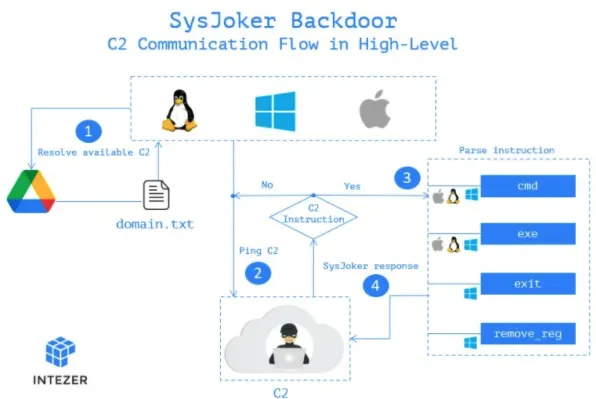
Different RATs have varying levels of complexity in their capabilities of monitoring and controlling infected devices. Usually, a remote access trojan will initialize the connection to a command and control center (C2). The C2 connects the machine to the hacker’s own. This will allow a hacker to send a number of commands back to the RAT, which will then execute on the host machine.

These commands can disable antivirus, obfuscate the presence of the RAT, record images or videos, execute code remotely, and much more.

Though remote access trojans can be fully featured in their own right, they often have additional functionality and can act as a foothold in an infected system. For example, RATs can be used to deploy additional malware, such as a keylogger or ransomware. They may often act as a ‘doorway’ to the machine, and access can be rented to other hackers.

A remote access trojan can give attackers a high level of access to an entire network, making them fatal to homes and businesses.

Cuba Ransomware Gang Add RAT Functionality

Remote Access Trojans

The Cuba Ransomware operation has begun implementing a number of new tools in its stack, including RAT (remote access trojans) and a local privilege escalation tool.

The threat actor behind the upgrades is affiliated with Cuba Ransomware, and has been named ‘Tropical Scorpius’ by researchers at Unit 42.

The Ransomware already saw an update during the first quarter of this year, which included an updated encryptor with more complex options.

These new updates, especially the addition of a remote access trojan, make the ransomware much more dangerous.

Aside from the RAT and other updates, Tropical Scorpius uses the standard build of Cuba Ransomware.

One of the new techniques include using legitimate but invalidated NVIDIA certificates. These were stolen and leaked a number of months ago.

Tropical Socrpius than uses a local privilege escalation tool that features an exploit for CVE-2022-24521. This exploit was a zero-day discovered in April 2022.

The hackers will then move laterally across the network, and at this stage can also steal Kerberos credentials.

Lastly, Tropical Scorpius deploys the ROMCOM RAT, a previously unseen remtoe access trojan. This RAT handles C2 communications via ICMP requests through Windows API functions.

ROM RAT takes the following commands:

  • Return connected drive information
  • Return file listings for a specified directory
  • Start up a reverse shell under the name svchelper.exe within the %ProgramData% folder
  • Upload data to C2 as ZIP file, using IShellDispatch to copy files
  • Download data and write to worker.txt in the %ProgramData% folder
  • Delete a specified file
  • Delete a specified directory
  • Spawn a process with PID Spoofing
  • Only handled by ServiceMain, received from C2 server and instructs the process to sleep for 120,000 ms
  • Iterate through running processes and gather process IDs

Unit 42 noted that Tropical Scorpiuts compiled the latest version of the RAT on June 2022, and uploaded it to VirusTotal.

The second version added more commands, giving the malware more advanced operations. This version is also able to take screenshots, along with other features.

Webworm Resurrects Old Remote Access Trojans

Remote Access Trojans

Chinese-based APT ‘Webworm’ is experimenting with modifying old malware for new attacks in order to evade detection and keep costs low, including modifying older Remote Access Trojans.

Webworm is a cluster of groups active since 2017. They have been linked with attacks on companies in Russia, Georgia, and Mongolia. They mostly target IT firms and electricity providers.

Currently, Webworm are testing RATs against IT service provides in Asia, effectively testing their effectiveness against modern-day security.

The RATs being used are much older, but their source code has been available for decades in some cases. Modern security is having difficulty defeating them, given their old tech.

This method also helps Webworm hides its tracks, as the remote access trojans have been in the wild for a very long time.

The first remote access trojan used by Webworm is the Trochilus RAT, which was first developed in 2015.

There has been modifications to this RAT, including one which allows it to load its config from a file.

Another remote access trojan used by the gang is the 9002 RAT, which was a popular strain amongst state-sponsored hackers in the last ten years. 9002 is very stealthy, and can inject into memory.

Webworm is also using the Gh0st RAT, which is one of the oldest, from 2008. It has been an incredibly popular strain for many years.

Gh0st RAT features several layers of obfuscation, UAC bypassing, shellcode unpacking, and in-memory launch, many of which are retained in Webworm’s version.

Webworm also modified Gh0st RAT to become an entirely new strain, ‘Deed RAT’.

One of the new features of Deed RAT is a versatile C2 communication system supporting multiple protocols, including TCP, TLS, HTTP, HTTPS, UDP, and DNS.

WordPress Sees Rat Attack

Remote Access Trojans

Hackers have injected malware, including remote access trojans, into a number of extensions from FishPig. FishPig is a popular WordPress integration that has over 200,000 downloads.

FishPig primarily deploys Magento, an open-source eCommerce platforms. It supports the sale of billions of USD in goods annually.

Hackers penetrated FishPigs infrastructure and injected malicious code to the vendors software, in what is described as a supply-chain attack.

So far, it is unlikely that other paid extensions from FishPigs were compromised.

The hackers injected the code into License.php, a file that validates licenses in premium FishPig plugins, which downloads a Linux binary (“lic.bin”) from FishPig’s servers (“license.fishpig.co.uk”).

This binary is a Rekoobe, a popular remote access trojan. It has often been seen in Linux rootkits in the past.

Rekoobe assumes the name of a system service to hide within the architecture. It will then wait on commands from the C2 server.

Researchers at Sansec didn’t observe any commands taking place. This sort of move suggests that the hackers were planning to sell access later to the compromised extension.

Sansec have recommended the following actions for users of FishPig products:

  • Disable all Fishpig extensions
  • Run a server-side malware scanner
  • Restart the server to terminate any unauthorized background processes
  • Add “127.0.0.1 license.fishpig.co.uk” to “/etc/hosts” to block outgoing connections

A spokesperson for FishPig also had the following to say in a statement to reporters:

“The best advice for people at the minute is to reinstall all FishPig modules. They do not need to update to the latest version (although they can), but just reinstalling the same version will ensure that they have clean code as any infected code has been removed from FishPig.”

“The infection was limited to a single file in our obfuscation code on our separate license.fishpig.co.uk and this has been removed and protection added against future attacks. FishPig.co.uk was not affected.”

“Sorry for any inconvenience people may have faced. This was an extremely clever and targeted attack and we will be more vigilant in the future.”

Source Code Leaked

The source code of the popular remote access trojan (RAT) CodeRat has been leaked on GitHub, following a confrontation where researchers approached the malware developer questioning what tools he used.

CodeRat seems to originate from Iran, and targeted Farsi-speaking IT teams with a Word Document which abused Microsoft Dynamic Data Exchange (DDE) exploits.

The exploit will then fetch and execute CodeRat from the hackers Git repo, giving the developer a large number of functions to perform on the victims’ computer.

CodeRat is extensive, and has access to nearly 50 commands. It has extensive monitoring capabilities targeting webmail, Microsoft Office documents, databases, social network platforms, integrated development environment (IDEs) for Windows Android, and even individual websites like PayPal.

Researchers at SafeBreach have also pointed out that CodeRat can spy on some sensitive tools, like like Visual Studio, Python, PhpStorm, and Verilog, making it devestating to a number of industries.

The remtoe access trojan uses a telegram-based mechanism to perform commands from the C2 server.

The developer halted the project when analysts contacted him. However, because of the source code being published, CodeRat is very likely to become more prevalent. There is also the fear of copycat RATs.

CodeRat also has a GUI command builder for novice hackers, a UI to exfilitrate data to USB drives, and a HTTP debugger.

According to the developer, the RAT can persist between reboots without touching Windows Registry.

Hospitality Undergo RAT Attack Campaign

A hacking group dubbed TA558 has increased activity in recent months, and are using phishing campaigns that deploy remote access trojans (RATs). The primary targets are the hospitality and travel industries.

In total, TA558 use 15 different malware strains, which are mostly RATs. These perform surveillance, harvest data, and even siphons money from customers.

The hacking group has been active for almost 4 years, but researchers at Proofpoint highlighted the increase of their activity. It is believe to be due to the spike in tourism following the COVID lockdown.

TA558 have also switched to using macro exploited documents in its phishing emails.

The phishing emails have been sent to a number of regions, including English, Spanish, and Portuguese speaking companies.

TA558 have more of an inclination toward Portuguese companies.

The group pretend to be a conference ogranizer, a tourist office agent, or other sources that wouldn’t be easily dismissed in the target industries.

Victims who click on the URL in the message body, which is purported to be a reservation link, will receive an ISO file from a remote resource.

This launches a batch file which runs a PowerShell script, which will deploy the RAT payload.

In most of the cases Proofpoint observed this year, the payload was AsyncRAT or Loda, while Revenge RAT, XtremeRAT, CaptureTela, and BluStealer were also deployed on a smaller scale.

Russia Sees Remote Access Trojan Campaign

Remote Access Trojans

Remote Access Trojans (RATs) have been deployed against a number of Russian entities. The RATs allow hackers to steal data remotely.

According to researchers at MalwareBytes, one such entity attacked is a government-controlled defense corporation.

“Based on a fake domain registered by the threat actors, we know that they tried to target a Russian aerospace and defense entity known as OAK,” the Malwarebytes Labs researchers said.

Dubbed Woody RAT, the malware has a large number of functions and has been used in several attacks for 12 months.

The RAT is deployed via phishing emails, which use either ZIP archives, or Microsoft Office documents that exploit the Follina vulnerability to deploy payloads.

“The earliest versions of this Rat was typically archived into a zip file pretending to be a document specific to a Russian group,” the researchers added.

“When the Follina vulnerability became known to the world, the threat actor switched to it to distribute the payload, as identified by MalwareHunterTeam.”

Its list of features includes collecting system information, listing folders and running processes, executing commands and files received from its command-and-control (C2) server, downloading, uploading, and deleting files on infected machines, and taking screenshots.

Woody RAT can also execute .NET code and PowerShell commands and scripts received from its C2 server using two DLLs named WoodySharpExecutor and WoodyPowerSession.

Woody RAT encrypts its C2 channels by using both RSA-4096 and AES-CBC.

It is currently unknown who exactly is behind the attacks, outside the codename.

“This very capable Rat falls into the category of unknown threat actors we track. Historically, Chinese APTs such as Tonto team as well as North Korea with Konni have targeted Russia,” the researchers concluded.

“However, based on what we were able to collect, there weren’t any solid indicators to attribute this campaign to a specific threat actor.”

Remote Access Trojans, or RATs, are a devastating type of malware with an arsenal of illicit tools.

General Mitigation Against Remote Access Trojans

RATs are one of the hardest malware strains due to their stealthy nature. They often piggyback and hide their malicious functionality behind seemingly legitimate applications. Free software often contains remote access trojans, especially business applications.

Though difficult to mitigate, there are some steps you can take to defend against remote access trojans:

Attack Vectors: Like all malware, RATs require an attack vendor. As you have seen in this article, one of the most common attack vectors for RATs are phishing emails. It is critical that users are trained and educated to spot phishing emails, hence decreasing the chance of infection.

Strange Behaviour: Due to their nature of hiding within other applications, it is worth keeping an eye on newly installed applications – especially if they were free. If a non-internet relient application such as a word editor is generator word traffic it may be a sign of something suspicioius, for example.

Monitor Your Network: A machine with a RAT infection will be generating a high amount of traffic. Keep an eye on network traffic if you fear something is amiss.

Be Wary With Privilege: More so for business owners, but the idea of least privilege should be implemented. This states that users, applications, systems, etc. should only have the access and permissions that they need to do their job. If infection occurs, the damage will be much more limtied.

Multi-Factor Auth: Implement Multi-Factor Auth(MFA). This can shut down many RAT infections

Use A Cybersecurity Solution: Use a reliable cybersecurity solution, such as SaferNet. SaferNet was designed to shut down attack vectors common to remote access trojans, such as phishing.

SaferNet – Like A Cat Against RATs

Remote Access Trojans

There are several steps and tools one can use to avoid becoming a victim of a RAT. One of these tools is SaferNet.

SaferNet is the perfect solution to the cybersecurity issues that individuals, families, and businesses face today. It not only connects every device using a secure, 24/7 always on, military grade VPN, but it also stops outside cyberthreats, malware and viruses as well. On SaferNet, all users are protected anywhere in the world, all the time, on any cellular or Wi-Fi network. In addition to SaferNet’s VPN and cyber protection, it also offers a range of employee or parental/family internet controls including internet filtering, monitoring, scheduling, and blocking access to websites or even entire website categories

Typically, a business or family would need 3 separate services for a VPN, Malware Protection, and Internet Controls; SaferNet offers all 3 features in one service. SaferNet truly is an endpoint security presence that can be implemented in minutes around the world, on phones, laptops, tablets, and computers at an economical price point that caters to all sizes of businesses and families. SaferNet guarantees a smooth setup and installation process that takes only minutes, and an easily accessible control hub for you to monitor all your employee’s or family members devices; including activity, time spent online, and threats blocked.

The Benefits Of Having a 24/7 Always On VPN

The Benefits Of Having a 24/7 Always On VPN. VPNs are often switched on when needed, and rarely is the notion of an always on VPN discussed. VPN users generally activate their service for a specific use case, but in reality, a VPN should stay on at all times.

Before we examine the reasons why, let’s go over exactly what a VPN is, and what it does.

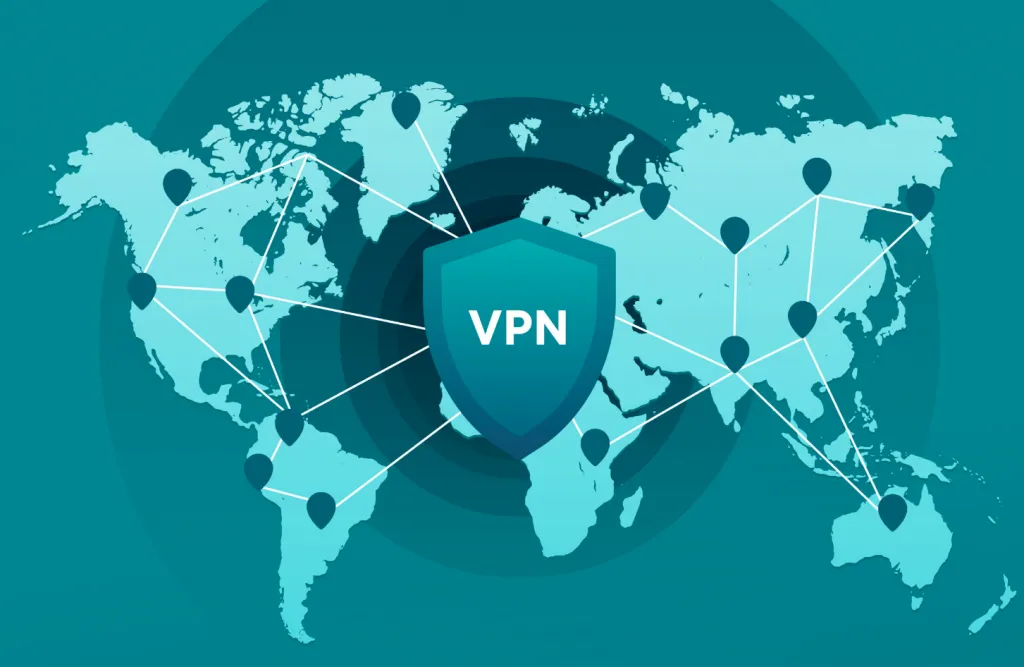
VPN stands for virtual private network, and its core it helps people stay private and secure online. A VPN establishes an encrypted connection, or tunnel, between your device and the VPN servers. Within this tunnel, the data you transmit is safeguarded and hidden from outsiders.

VPNs were once a novel idea and somewhat of a ‘nice to have, but not required’. In 2022, VPNs are indeed a necessary tool in your kit – especially an always on VPN.

An always on VPN is the closest everyday internet users can get to true anonymity without using more complex solutions like the TOR network.

VPNs were first created by Microsoft in 1996, as a way to allow remote workers to access the internal company network more securely. It doubled productivity, and many other companies began to adopt VPNs. VPNs in this sense were the norm for many years – And today, corporate VPNs are still common. After mass adoption by businesses, some developers realised there was a private market for such a tool, especially as the idea of digital privacy came into the spotlight.

The core functionality of a VPN is around how traffic is handled from your device to the internet. Instead of sending traffic directly to your Internet Service Provider (ISP), a VPN first takes the traffic and places into a tunnel, where it encrypts the data. When the data eventually hits the internet, it appears as a complex string of data that is impossible to read by anyone looking in.

Always On VPN

The process of making your data unreadable is encryption. Though an intensely mathematical process, it usually involves using a key to scramble and unscramble data being sent from your device. Only your device and the VPN provider have the decryption key – to everyone else, your data appears like a garbled mess.

There are many types of encryption. For the purposes of this post, we won’t be covering all of them, but the most common for VPNs is 256-bit AES encryption. This is the same type of encryption used by banks and the military.

Despite the core similarities around things like encryption, VPN services are often very different to one another. The overwhelming majority of VPN services are purely for location spoofing, which is fooling the internet into thinking you are currently in a different location. This is mostly used for streaming purposes when some services are geolocked, but it is also used in niche but very specific circumstances.

Other VPNs, like SaferNet, focus in more on cybersecurity. While privacy and encryption are fundamental pillars of cybersecurity, they aren’t the whole package. VPNs like SaferNet protect against viruses and malware, like ransomware, remote access trojans, spyware, keyloggers, and even have defenses against common attack vectors such as phishing, which is the primary route for hackers to gain access to a network.

Now, let’s look at why and when an always on VPN is critical to privacy and safety.

Should I Keep My VPN On At All Times? 

Privacy And Mitigating Profiling

Always On VPN

One of the key reasons why someone would ensure they use an always on VPN is for private browsing. When using an always on VPN, the encryption carried out guarantees that your information stays private. We take privacy for granted, but it is not a guaranteed right online as it once may have been. For exmaple, Congress passed a bill a number of years ago that allowed ISPs to sell customer search history to advertisers. Selling this data may seem trivial to some, but it is a symptom of a larger issue.

When ISPs build a database of our online habits, they’re effectively profiling us. Our identities are sold on without our knowledge or without our consent.

Only privacy has been a discussion for years, but it is only becoming more of a problem. In years to come, it will likely be at the forefront of public discourse.

Online Banking

An always on VPN is particularly helpful when banking or shopping online.

With regards to banking, there is a wealth of sensitive information being shared – Passwords, finance details, bank account information, and so on. These are like gold to a hacker, and without an always on VPN, you leave yourself open to attacks while banking online.

There is somewhat of a caveat here, however. If you are using a location-spoofing VPN and try online banking, and you experience delays. Many services such as PayPal will detect a new location and believe you are a hacker trying to access PayPal from a new location. This is the case with many banking services. When banking using an always on VPN, try use a service that doesn’t location spoof.

Online Shopping

The same reasons you would use an always on VPN while online banking are the same reasons you’d use one for online shopping. Similarly, there is a direct exchange of sensitive information, and you cannot afford anybody looking over your shoulder during this exchange.

Protection On Public Wifi

One the key arguments for using an always on VPN is how data is sent over public wifi. It isn’t obvious to everybody exactly when they’re on public wifi, which means using an always on VPN will keep you protected at all times.

Simply, Public Wifi is wifi outside of your home network. The old examples for these have always been cafes and airports. However in recent years, especially in cities, public wifi is everywhere – Bars, stores, government buildings, and many cities have public wifi that covers entire blocks of downtown.

While convenient, public wifi is not even remotely secure. All data transmitted over public wifi is open to a ‘man in the middle’ attack (MITM). This is when a hacker is on the network (sometimes even having a physical presence) and can imagine all data packages sent on the network.

Now more than ever, an always on VPN is critical when using public Wifi.

Overcoming ISP Bandwidth Limitations

Always On VPN

ISPs are businesses and thus are run for profit, however they are known for somewhat shady practices. One of these practices is to limit customer bandwidth to convince their users to upgrade their plan. Because VPNs obfuscate data, they can help overcome bandwidth limitations.

Internet Speed

Internet speed and VPNs are often at odds with each other. This is not always the case though, and an always on VPN can actually help you with your internet speed.

Usually, when people use a VPN, they are location spoofing. This means your connection needs to bounce around before reaching the internet. This will slow down the connection, often quite heavily.

With that said, using an always on VPN which isn’t location spoofing can actually increase speed in certain cases, especially when an ISP is attempting to throttle speeds.

AntiVirus Capabilities

Possibly the most beneficial thing about using an always on VPN which has a cybersecurity focus is having a preventative antivirus solution. Though not offered by many VPN services, it is a core focus for VPN services like SaferNet.

Cybercrime is a huge danger online, more than many internet users know.

There are a range of threats online that an always on VPN can defend you against, including:

Ransomware – Ransomware is a type of malware that encrypts a victim’s device entirely and then demands a monetary fee, or ransom, for the safe release of the data. During this time, the victim cannot access any of their files. Ransomware is a sophisticated type of virus, and will often laterally spread across a network, allowing it take down large scale organizations like hospitals in seconds. Though it only became more popular in the last decade, Ransomware has become the number one threat in the cybersecurity world. Ransomware operators can generate billions of dollars in a successful attack campaign.

Spyware – The primary goal of Spyware is to steal sensitive information and relay it back to some kind of server or service. This information could be anything – internet usage, what is typed on the device, camera or microphone activity – truly any activity that occurs on the device. This information can be relayed to a number of different entities. Very often, these are advertisers or big data companies. In more malicious cases, it could be sent to private servers belonging to a lone hacker, or hacking group.

Botnets – At its core, a Botnet is a network of hijacked host devices that are used in a number of illicit activities, chiefly cyberattacks. The word is a portmanteau of ‘robot’ and ‘network’. Botnets are primarily used to automate large scale attacks, or to distribute additional malware. Users are unaware if a device they own is infected. While infected, besides for carrying out attacks, the host device can also be used to infect nearby devices or devices in any part of the world.

Phishing Attacks – Phishing is perhaps the most well-known attack vector a hacker can utilize. Nearly everyone has seen a phishing attempt at some point in their lives. To put it simply, Phishing is a cybercrime in which a target or targets are contacted by email, telephone or text message by someone posing as a legitimate institution to lure individuals into providing sensitive data such as personally identifiable information, banking and credit card details, and passwords. Phishing is not necessarily all about grabbing credentials, though. Modern phishing methods often revolve around having the target download a file that is covertly malware or enabling macros on a Word document which in turn deploy a virus. Phishing and the act of social engineering come hand in hand.

Remote Access Trojans – Remote Access Trojans, or RATs, are a type of malware capable of infecting just about any kind of device. These type of viruses allow hackers to remotely machine infected hosts, similar to products like Teamviewer. They are often spoken about in tandem with other malware strains such as Spyware, as the two share common traits. Different RATs have varying levels of complexity in their capabilities of monitoring and controlling infected devices. Usually, a remote access trojan will initialize the connection to a command and control center (C2). The C2 connects the machine to the hacker’s own. This will allow a hacker to send a number of commands back to the RAT, which will then execute on the host machine.

There are also a number of other types of malware, but those listed above are the most common types.

Should I Use An Always On VPN?

Always On VPN

SaferNet: A Best-in-Class Always On VPN


SaferNet is the perfect solution to the cybersecurity issues that individuals, families, and businesses face today. It not only connects every device using a secure, 24/7 always on, military grade VPN, but it also stops outside cyberthreats, malware and viruses as well. On SaferNet, all users are protected anywhere in the world, all the time, on any cellular or Wi-Fi network. In addition to SaferNet’s VPN and cyber protection, it also offers a range of employee or parental/family internet controls including internet filtering, monitoring, scheduling, and blocking access to websites or even entire website categories

Typically, a business or family would need 3 separate services for a VPN, Malware Protection, and Internet Controls; SaferNet offers all 3 features in one service. SaferNet truly is an endpoint security presence that can be implemented in minutes around the world, on phones, laptops, tablets, and computers at an economical price point that caters to all sizes of businesses and families. SaferNet guarantees a smooth setup and installation process that takes only minutes, and an easily accessible control hub for you to monitor all your employee’s or family members devices; including activity, time spent online, and threats blocked.

Can Your ISP See If You Are Using A VPN?

Can Your ISP See If You Are Using A VPN? It is important first understand what exactly the terminolgies, specifically an ISP or a VPN, actually mean.

What is an ISP (Internet Service Provider?

An ISP, or internet service provider, is a company that provides access to the internet for its users. ISPs allow for many interactions with the web, including basic browsing, shopping online, doing business, or connecting with friends or family. ISPs provide their services for a monetary fee.

Though a service that was more popular from IPSs in the 90s and 2000s, the companies often supply email service, webhosting, and more. However, these services are now more often to supplied by a third party companies.

Can Your ISP See If You Are Using A VPN

Internet services supplied by ISPs were once limited to government entities and a few universities. By the late 1980s, this became available to the general public, but it would take some years to catch on like we know it today. American Online, AOL, proved to be one the biggest early ISPs of this era, and remained popular for many years.

The true boom of ISPs began in the mid-1990s, and several more ISPs appeared. Connection speed gradually increased from dial-up connections to make things like e-commerce more feasible.

What is a VPN?

Can Your ISP See If You Are Using A VPN

VPN stands for virtual private network, and its core it helps people stay private and secure online. A VPN establishes an encrypted connection, or tunnel, between your device and the VPN servers. Within this tunnel, the data you transmit is safeguarded and hidden from outsiders.

VPNs were once a novel idea and somewhat of a ‘nice to have, but not required’. In 2022, VPNs are indeed a necessary tool in your kit – especially an always on VPN.

An always on VPN is the closest everyday internet users can get to true anonymity without using more complex solutions like the TOR network.

VPNs were first created by Microsoft in 1996, as a way to allow remote workers to access the internal company network more securely. It doubled productivity, and many other companies began to adopt VPNs. VPNs in this sense were the norm for many years – And today, corporate VPNs are still common. After mass adoption by businesses, some developers realised there was a private market for such a tool, especially as the idea of digital privacy came into the spotlight.

The core functionality of a VPN is around how traffic is handled from your device to the internet. Instead of sending traffic directly to your ISP, a VPN first takes the traffic and places into a tunnel, where it encrypts the data. When the data eventually hits the internet, it appears as a complex string of data that is impossible to read by anyone looking in.

The process of making your data unreadable is encryption. Though an intensely mathematical process, it usually involves using a key to scramble and unscramble data being sent from your device. Only your device and the VPN provider have the decryption key – to everyone else, your data appears like a garbled mess.

There are many types of encryption. For the purposes of this post, we won’t be covering all of them, but the most common for VPNs is 256-bit AES encryption. This is the same type of encryption used by banks and the military.

Despite the core similarities around things like encryption, VPN services are often very different to one another. The overwhelming majority of VPN services are purely for location spoofing, which is fooling the internet into thinking you are currently in a different location. This is mostly used for streaming purposes when some services are geolocked, but it is also used in niche but very specific circumstances.

Other VPNs, like SaferNet, focus in more on cybersecurity. While privacy and encryption are fundamental pillars of cybersecurity, they aren’t the whole package. VPNs like SaferNet protect against viruses and malware, like ransomware, remote access trojans, spyware, keyloggers, and even have defenses against common attack vectors such as phishing, which is the primary route for hackers to gain access to a network.

Can Your ISP See If You Are Using a VPN?

Can Your ISP See If You Are Using a VPN

Very simply put – Yes, an ISP can see if you were using a VPN. But its important to fully understand exactly what an ISP can see when you are using a virtual private network.

What can an ISP see when you are using a VPN?

While an ISP can see that you’re using a VPN, that is about it. They will understand you are connected to a VPN, but due to encryption and obsfucation, what you are doing will be illgible.

If you are using IP spoofing, an ISP can also see that new IP address, as they always manage responsibility for you being able to send and recieve internet packets. While they can see that IP address, they do not know the packets final destination.

An ISP will also be able to understand what level of encryption and protocol you are using, but that doesn’t mean they can see through those layers. In short, anything they are able to see will not affect you in any sense.

Lastly, an ISP will be able to see your connection timestamps, which are simply the times you connect and disconnect to the internet

What do VPNs hide from ISPs?

Can Your ISP See If You Are Using A VPN

A VPN will hide several elements from your internet service provider, including:

Websites you’ve visited: Though an ISP will be able to see that you are browing the webs, they will not be able to see the websites you are browsing, or your browsing history.

Files You Download: An ISP could take a reasonable guess due to your bandwidth activity, for example a spike in bandwidth means you are probably downloading something. But, they are unable to see what files you’re downloading, including streams and torrents also.

Search Activity: An ISP will not be able to see your searches when you are using a VPN.

Conclusion

At the end of the day, it is important that you use a VPN at all times if you are concerned with privacy (or even if you’re not). However it is equally important to use a good, trustworthy VPN, such as SaferNet. Oftentimes people will look for a VPN and choose a free one. However this might do more harm than good, as free VPNs often sell user data to turn a profit.

SaferNet: A Best-in-Class Always On VPN

Can Your ISP See If You Are Using A VPN


SaferNet is the perfect solution to the cybersecurity issues that individuals, families, and businesses face today. It not only connects every device using a secure, 24/7 always on, military grade VPN, but it also stops outside cyberthreats, malware and viruses as well. On SaferNet, all users are protected anywhere in the world, all the time, on any cellular or Wi-Fi network. In addition to SaferNet’s VPN and cyber protection, it also offers a range of employee or parental/family internet controls including internet filtering, monitoring, scheduling, and blocking access to websites or even entire website categories

Typically, a business or family would need 3 separate services for a VPN, Malware Protection, and Internet Controls; SaferNet offers all 3 features in one service. SaferNet truly is an endpoint security presence that can be implemented in minutes around the world, on phones, laptops, tablets, and computers at an economical price point that caters to all sizes of businesses and families. SaferNet guarantees a smooth setup and installation process that takes only minutes, and an easily accessible control hub for you to monitor all your employee’s or family members devices; including activity, time spent online, and threats blocked.

VPN Protection: 5 Threats A VPN Protects Against

VPN Protection. VPNs, or virtual private networks, are one of the most heavily marketed tools advertised on the net today. VPN Protection is spoken about often, but rarely is this concept explained. What does a VPN protect against, and what doesn’t? Are all VPNs built the same? These are important questions, especially considering the vast differences between VPN providers.

But what is a VPN? A VPN, or virtual private network, is a digital tool with the core functionality of helping its users stay secure and private in the digital age. Though mostly privacy-focused, VPN Protection should be at the center of all conversations are VPNs.

Under the hood, extends a private network across a public network which allows users to send and receive data privately as if on a private network.

When a data packet is sent from the user, it sends it through the VPN. The VPN adds an Authentication Header (AH) for routing and authentication. This data is then encrypted, and enclosed with an Encapsulating Security Payload (ESP), which dictates how the data is handled.

VPN Protection

The encryption process that occured here is the soul of a VPN. Encryption usually involves using a key to scramble and unscramble data being sent from your device. Only your device and the VPN provider have the decryption key – to everyone else, your data appears like a garbled mess.

There are different types of encryption that different VPN services use. But for the most part any major VPN service uses an acceptable level of encryption.

VPNs were considered a ‘nice to have, but not required’ tool for many years, but now in 2022, they truly a necessary tool.

VPNs were first conceived in 1996 by Gurdeep Singh-Pall. Singh-Pall was a Microsoft employee who invented PPTP (Point-to-Point Tunneling Protocol). PPTP was a critical element in implemented VPNs. The engineer did this to allow other Microsoft employees to have a secure Internet connection while working from home. Though starting as an in-house tool, this was the genesis of VPN technology as we know it today.

Since then, VPN technology has changed dramatically, though the core remained the same. There are different types of VPNs, and different protocols, such as L2TP/IPsec, OpenVPN, PPTP, SSTP. As mentioned earlier, there is also different types of encryption used, including hashing, symmetric, asymmetric.

VPN Protection

Even today, encryption is changing and being improved upon constantly. The number of VPN users has increased too, with 1 in 4 internet users owning a VPN of some kind. However, this number is still not high enough in today’s world. VPN Protection truly is critical.

The basics of VPN Protection and the technology behind the tool has been laid out. Now, let’s take a look at some things VPNs can protect you against, and what they can’t.

5 Things VPNs Can Protect You Against

Download Monitoring

VPN Protection

When you torrent or download files, your identity is not hidden from your internet service provider (ISP). This means that your ISP can see everything that you’re downloading. As well as ISPs, government and some advertisers can see what you’re downloading. If streaming or torrenting the likes of movies not available on your regular broadcasting servicers, this can lead to fines or harsher legal action. A VPN can prevent this. When connected to a VPN, the encryption applied to your connection will make your download activity seem garbled, and unreadable to anyone looking in.

Streaming/Gaming Monitoring

Both streaming and gaming can use a large amount of bandwidth, which is something ISPs want to avoid at all costs. If you game or stream a lot, your account may be flagged and your ISP may throttle your bandwidth during these sessions. This is also the case during peak 5pm-11pm hours, which is often when internet usage is high in many households.

Thankfully, a VPN can protect you here. Like with Downloading Monitoring, the VPN will scramble your activity, and you won’t be flagged by ISP automatic systems.

Search Engine / Activity Monitoring

Using a search engine, or visiting just about any website, will trigger several third parties to start monitoring your activity. Aside from governments and ISPs, a very command tracker here comes in the form of advertisers, who follow you around the web as best as they can.

To advertisers, the data metrics you supply are like gold, which can be sold on to other advertisers. While annoying, it is relatively harmless, but there are many more malicious advertisers out there trying to profile you based on your activity, and sell more aggresively and instruivly to you.

These are breaches of privacy and trust, and problems a VPN can solve.

A VPN will secure both your search history and general web activity. These include activity from your ISP, advertisers, government, and cybercriminals.

It is important to note that this activity is not hidden from your browser provider – Google, for example. It is advised to use a privacy-focused browser to remain as private as possible.

VPN Protection

Packet Inspection Protection

Packet Inspection protection is an interesting topic and can easily be assumed to similar to activity monitoring, which it is.

Packets make up the blood of any internet interaction. Essentially they allow users to interact with websites, send emails, play video games – really any online activity. Packets are sent and received at an extremeley high rate per second.

Packet inspection then is a very real threat, and a common one too. Anyone inspecting the packets you send can figure out exactly what you’re doing.

When you have no encryption in place, all these packets can be inspected. A VPNs encryption protocols can act against this, and any onlookers will only see nonsensical code when trying to inspect the packets you send.

Man-in-the-Middle Attacks

A man-in-the-middle attack is similar to packet inspection, but goes a step further. While monitoring packets, a hacker can interject themselves into your activity – For example, accessing a online banking system.

In the classic case, these are performed over public wifi spaces such as airports and cafes. However given how accessible public wifi is around many of our cities, it has seen huge gains in popularity.

These attacks can be deadly, and when they happen when you use a banking service, they can cause lasting damage. A VPN encryption process will again prevent these attacks from taking place.

VPN Protection

3 Things VPNs Don’t Protect You Against

Account Activity Monitoring

Despite an encrypted connection, account activity on certain platforms will still be monitored. These are most obvious in things like social media platforms – When using Facebook, Facebook will always see what you can do. As mentioned earlier, this goes for browser activity too depending on the browser provider. Try drift toward services that champion consumer privacy.

Online Identity Protection

100% online identity protection, that is to be 100% anonymous, is possible, but the steps to do so are so complex that they go beyond the scope of this article. For people using day-to-day internet, 100% anonymity isn’t possible.

However, much of this is on the users shoulders. If you reveal everything about yourself online, a VPN can do nothing for you. Practice good digital hyigene, and you can remain more anonymous online.

Malware – Hacking, Viruses, General Cybercrime

To preference this point – The overwhelming majority of VPNs, especially the popular ones, have zero malware protection. This is not always the case – But more on this later.

Cybercrime is a huge danger online, more than many internet users know.

There are a range of threats online facing users every second, including:

Ransomware – Ransomware is a type of malware that encrypts a victim’s device entirely.  Ransomware then demands a monetary fee, or ransom, for the safe release of the data. During this time, the victim cannot access any of their files. Ransomware is a sophisticated type of virus, and will often laterally spread across a network. Ransomware can take down large scale organizations like hospitals in seconds. Though it only became more popular in the last decade, Ransomware has become the number one threat in the cybersecurity world. Ransomware operators can generate billions of dollars in a successful attack campaign.

Spyware – The primary goal of Spyware is to steal sensitive information and relay it back to some kind of server or service. This information could be anything – internet usage, what is typed on the device, camera or microphone activity – truly any activity that occurs on the device. This information can be relayed to a number of different entities. Very often, these are advertisers or big data companies. In more malicious cases, it could be sent to private servers belonging to a lone hacker, or hacking group.

Botnets – At its core, a Botnet is a network of hijacked host devices that are used in a number of illicit activities, chiefly cyberattacks. The word is a portmanteau of ‘robot’ and ‘network’. Botnets are primarily used to automate large scale attacks, or to distribute additional malware. Users are unaware if a device they own is infected. While infected, besides for carrying out attacks, the host device can also be used to infect nearby devices or devices in any part of the world.

Phishing Attacks – Phishing is perhaps the most well-known attack vector a hacker can utilize. Nearly everyone has seen a phishing attempt at some point in their lives. To put it simply, Phishing is a cybercrime in which a target or targets are contacted by email, telephone or text message by someone posing as a legitimate institution to lure individuals into providing sensitive data such as personally identifiable information, banking and credit card details, and passwords. Phishing is not necessarily all about grabbing credentials, though. Modern phishing methods often revolve around having the target download a file that is covertly malware or enabling macros on a Word document which in turn deploy a virus. Phishing and the act of social engineering come hand in hand.

Remote Access Trojans – Remote Access Trojans, or RATs, are a type of malware capable of infecting just about any kind of device. These type of viruses allow hackers to remotely machine infected hosts, similar to products like Teamviewer. They are often spoken about in tandem with other malware strains such as Spyware, as the two share common traits. Different RATs have varying levels of complexity in their capabilities of monitoring and controlling infected devices. Usually, a remote access trojan will initialize the connection to a command and control center (C2). The C2 connects the machine to the hacker’s own. This will allow a hacker to send a number of commands back to the RAT, which will then execute on the host machine.

As stated, the majority of VPNs offer no anti-virus features. This is not the case for SaferNet’s always-on VPN, which was built with twin goals in mind – To offer both the privacy of a VPN and the antivirus capabilities of anti-malware software. While most services require a number of different software solutions to achieve both privacy and security, SaferNet gets it done all-in-one.

SaferNet: The First Name In VPN Protection

SaferNet is the perfect solution to the cybersecurity issues that individuals, families, and businesses. SaferNet connects every device using a secure, 24/7 always on, military grade VPN. SaferNet stops outside cyberthreats, malware and viruses as well. On SaferNet, all users are protected anywhere in the world, all the time, on any cellular or Wi-Fi network. In addition, SaferNet offers a range of employee or parental/family internet controls including internet filtering, monitoring, scheduling. Also, SaferNet offers blocking access to websites or even entire website categories

Typically, a business or family would need 3 separate services for a VPN, Malware Protection, and Internet Controls; SaferNet offers all 3 features in one service. SaferNet truly is an endpoint security presence that can be implemented in minutes around the world, on phones, laptops, tablets, and computers at an economical price point that caters to all sizes of businesses and families. SaferNet guarantees a smooth setup and installation process that takes only minutes, and an easily accessible control hub for you to monitor all your employee’s or family members devices; including activity, time spent online, and threats blocked.

Using The Internet Without A VPN Is Like Leaving Your House Without Locking The Front Door

Do you know using the internet without a vpn is like leaving your house without locking the front door? We’ve heard time and again how critical the threat of hacking is. Still, most of us either think we’ll avoid it or have nothing to hide for hackers to expose anyway – so why worry? This is akin to thinking that we don’t need to bother locking the door because we don’t have an illegal store of drugs stashed away in our houses. Every person with an online presence benefits from using a VPN. It’s not about not having anything to hide. It’s about not having your information stolen or shared.

This is not necessarily a matter of theft. This is, first and foremost, a matter of privacy. Every 39 seconds, somebody is hacked, and there’s a 1 in 4 chance that it will be you on the receiving end. Hacking is not a far-away, dystopian threat; it is immediate and gaining urgency each year. Therefore, we must increase awareness of the severity of cyber-attacks and encourage more people to use VPN networks to protect themselves.

The pandemic-fuelled shift to remote working led to a significant spike in hack-attacks. For example, the volume of ransomware doubled in 2021, surpassing the 600 million mark. This form of hacking involves hackers encrypting your data and demanding large sums in return for giving your data back. The average cost was an incredible $4.44 million.

These kinds of attacks present a lose-lose situation for users – either they are forced to pay exorbitant sums to these cyber-criminals, or, as is often the case, they cannot afford the ransom, and their personal data is leaked. This is not merely a case of losing your favorite holiday photos. This can involve losing your PIN codes and passwords. In 2021, Americans lost a record $3.5 billion to cybercrime. In 2020, 37 billion data records were leaked, which was a staggering 140% increase from the previous year.

The most frustrating aspect of these figures is that cyber-attacks are relatively easy to defend against. Firstly, people aren’t aware of just how severe and extensive the cyber-security threat has become. Secondly, a substantial number of those who feel vulnerable do not know how to protect themselves.

Using a VPN

The answer is easy: use a VPN network every time you surf the internet. VPNs – Virtual Private Networks – mask the user’s traffic patterns and block access to their IP address, which would otherwise reveal specific information about the computer being used.

Safernet VPN: Safer Internet

Around a third of the global population of internet users have a VPN installed, leaving the vast majority susceptible to cyber-attacks. This figure is even lower for the US, with only a quarter of North America using a VPN when they browse online. By contrast, almost three-quarters of Americans are fearful of their personal or financial information being stolen.

VPNs are widely available and low-cost, yet most of those online do not have this protective software installed. The issue, then, is one of awareness. To tackle this, we can look to what can arguably be called the cyber-security capital of the world: Estonia.

In 2007, Estonia suffered a series of hack-attacks in what was largely considered to be the world’s first cyber-war. The swathe of cyber-criminality was spawned by the controversial moving of a soldier’s statue, which served as a harrowing reminder of the years of Soviet oppression faced by Estonians. Since this incident, Estonia has established itself as a cyber-security hub; the keystone to this success has been boosting cyber-awareness across its population.

Some of the measures included in Estonia’s Cyber Security Strategy included offering cyber-training to preschoolers and older children and introducing various Media Literacy courses in secondary schools. In 2013, the government also instigated a state-private partnership project, which was designed to improve the security awareness of smart-device users, developers, and distributors. Furthermore, a Masters Degree in Cyber Security was launched in 2009, and the Police and Border Guard Board even appointed a ‘web constable,’ whose primary role was to boost public understanding about cyber-security and to help protect young people online. There are a multitude of VPN’s out there that offer huge protections at a low cost, such as Private internet access, Safernet VPN, Express VPN, tunnel Bear and Proton VPN among others.


The proof is in the Kohuke : Estonia is now the most cyber-secure country in the EU. The US government has reason to be reluctant about enforcing wider VPN usage, given that it regularly benefits from the gathering of voter data. However, it must act to improve awareness of core cyber-security issues at the very least. As is evident from the Estonia blueprint, education is essential for this; we must introduce more purpose-built Cyber-Security degrees, along with training programs for children and young people. The benefits far outweigh any negatives of using a VPN for the global community.

To see the article, CLICK HERE.

The Top 10 Best VPN Services in 2022 | A Data Privacy Guide

In this article, we will be discussing the Top 10 Best VPN Services in 2022. Most operations in the digital world today happen online. You may rely on the internet for virtually everything, from business to banking to entertainment. However, your digital footprint and data might be unsafe from prying eyes — that’s where a virtual private network (VPN) comes in.

Best VPN

VPN software safeguards information by masking a device’s IP address and encrypting the data before rerouting it through secure networks to servers in different states or countries. Therefore, you can browse the internet anonymously and comprehensively without worrying about leaking your online identity. We’ve created a top 10 best VPN services list to get you started if you’re looking for VPN services. Read on to learn more about those secure servers.

SaferNet VPN

Google review score: 4.7 out of 5

SaferNet VPN offers comprehensive cybersecurity services for individuals and organizations. Our team strives to secure your online data from hackers and online predators, keeping your computers and cell phones safe throughout.

The SaferNet cybersecurity app features secure VPN technology, and there’s no limit to the number of devices or users. We also offer low-cost cloud-based products like internet controls and virus protection to reinforce your online security.

Our customers often enjoy 14-day free trials on all our services. The remaining thing to do is create a SaferNet account, set up user profiles and download our application on all your devices.

Express VPN

Review score: 4.6 out of 5

If you often engage in high bandwidth activities and need VPN services, Express VPN is worth trying. It’s a fast and secure virtual private network with a 30-day money-back guarantee.

It’s easy to secure your online activities, with multiple high-speed servers in 94 countries and browser extensions present. The Express VPN team prides itself on delivering round-the-clock live chat support.

Private Internet Access

Review score: 4.5 out of 5

Private Internet Access has over 10 years of experience in the VPN trade. It features 24-hour live customer support from privacy protection experts.

The high-speed VPN offers advanced security measures, including a dedicated IP address. Private Internet Access has servers in 84 countries with unlimited bandwidth to get the most from your internet connection.

TunnelBear

Google review score: 4.5 out of 5

TunnelBear offers a virtual private connection to its encrypted servers in 49 countries. It allows consumers to secure up to a maximum of 5 devices with one paid account.

The VPN provider stands out by performing and publishing security audits annually. And regarding VPN free trials, you can test the service for free using the complementary but limited 500 MB of browsing before buying an unlimited plan.

Proton VPN

Google review score: 4.2 out of 5

Proton VPN has applications to support your online security needs across multiple platforms, from personal computers to smartphones and even routers. The Swiss-based VPN provider utilizes VPN Accelerator technology to increase server speeds and limit buffering.

The VPN service has 1,745 servers in 63 countries that help spoof IP locations and defend internet users against web-based attacks. While consumers can choose to go with the free version, you could upgrade to a paid plan and enjoy faster speeds and extensive features.

McAfee

Google review score: 4.1 out of 5

The McAfee VPN helps online users to browse securely by protecting personal information through bank-grade data encryption. You can acquire the service no matter the operating system, whether Windows, iOS or Android. 

McAfee’s VPN can safeguard multiple devices, with security features like a firewall and file shredders for higher paid plans. Users often benefit from a free VPN trial for 30 days before the first purchase.

CyberGhost

Review score: 4.0 out of 5

CyberGhost, founded in 2011, offers secure VPN connections for a maximum of 7 devices. While you could go for a monthly plan, the two or three-year payment plans provide more savings and a 45-day free trial period.

Customers can enjoy high and unlimited bandwidth with CyberGhost. The company also offers 24-hour live chat customer support.

IPVanish

Review score: 4.0 out of 5

Although a popular VPN for Android users, IPVanish is compatible with devices across multiple platforms. The VPN service provider has over 2,000 servers serving global clients.

Thanks to the WireGuard® VPN protocol, IPVanish offers fast internet connections. It also features a pool of more than 40,000 shared IP addresses that enhance anonymity.

Surfshark

Review score: 3.9 out of 5

Surfshark is a fast VPN service for beginners and expert VPN users alike, allowing unlimited same-time device connections. It has over 3,200 secure servers in 65 countries, with the RAM-only capability ensuring they don’t store data.

The VPN kill switch automatically disconnects devices from the internet if the VPN connection suddenly drops. Surfshark also features a strict no-logs policy that assures your data is free from monitoring or tracking.

Norton

Review score: 3.5 out of 5

Norton Secure VPN can help secure your online activities from hackers, whether on public Wi-Fi or a home network. Its no-log policy means that the servers don’t monitor or store browsing activities.

The VPN service features a kill switch to automatically disconnect the internet connection, ascertaining privacy on your Windows or Android device if the VPN connection suddenly drops. An annual membership for Norton VPN offers a 60-day money-back guarantee.

NordVPN

Review score: 3.1 out of 5

The NordVPN staff helps its consumers to keep their online activities private and securely access sensitive information via an encrypted internet connection, with one VPN account connecting a maximum of 6 devices. It has a strict, no website logs policy that inhibits the tracking, storage or sharing of private data.

NordVPN has more than 5,300 servers in 60 countries, complemented by 24-hour live chat support. It also features built-in malware protection to safeguard your data from cyber threats like trackers, intrusive advertisements or malware.

The Best VPN Services in 2022

The benefits of a virtual private network are immense. First off, you can hide internet activity and protect sensitive data from getting into the hands of online strangers. You could also benefit from disguising your IP address, thereby watching your favorite entertainment shows without geographic restrictions by making it seem like you’re browsing from elsewhere.

As you can tell from the list above, there are multiple VPN options at your disposal. You can find the best one for your needs by checking out online reviews and comparing costs. While we might be biased to recommend our qualified team here at SaferNet VPN, any provider on the list could comprehensively take care of your VPN needs.

Is it time to secure your devices with a virtual private network?
Contact SaferNet VPN to get expert cybersecurity help today. Our team will help you take charge of your digital world without risking your data or personal habits, and you can monitor and control your little ones’ online activity with our VPN+.

Phishing Campaign Uses Adobe Cloud To Target Office 365

Hackers are using Adobe Creative Cloud to target Office 365 in an ongoing phishing campaign. The malicious links within the phishing emails appear to come from Cloud users but instead direct victims to a link that steals their credentials, researchers have discovered.

Cybersecurity researchers with Avanan discovered the campaign in December, according to a recent report they published.

Adobe Creative Cloud is a popular suite of apps for file-sharing and creating and includes widely used apps such as Photoshop and Acrobat.

The phishing attacks are mostly targeting Office 365 users, a popular platform for phishing emails owing to its high amount of business users. The phishing attacks have also hit Gmail inboxes, according to Jeremy Fuchs at Avanan.

According to Fuchs, the attacker creates a free account in Adobe Cloud, then creates an image or a PDF file that has a link embedded within it, which they share by email to an Office 365 or Gmail user.

“Think of it like when you create a Docusign,” Fuchs explained to reporters. “You create the document and then send it to the intended recipient. On the receiving end, they get an email notification, where they click to be directed to the link.”

Though the links inside the documents sent to users are malicious, they themselves are not hosted within Adobe Cloud but, rather, from another domain controlled by attackers, he added.

Researchers shared screenshots of the attack they observed in the report. One shows attackers sending what looks like a legitimate PDF called Closing.pdf sent from Adobe with a button that says “Open” to open the file.

When the user clicks on the link, he or she is redirected to an Adobe Document Cloud page that includes an “Access Document” button that supposedly leads them to the Adobe PDF. However, that link actually leads to “a classic” credential-harvesting page, which is hosted outside the Adobe suite, according to the report.

Attackers can use this model for sending various legitimate-looking Adobe Cloud documents or images to unsuspecting users, Fuchs told Threatpost.

“Though the several hops to get to the final page may cause some red flags from discerning end-users, it won’t stop all who are eager to receive their documents, especially when the title of the PDF – in this case ‘Closing’ – can instill urgency,” researchers wrote in the report.

Researchers at this point don’t know who is behind the campaign, which for now is sticking to its goal of harvesting credentials.

Avanan recommended users have robust security in place, as well as employee training that focuses on avoiding phishing attempts.

Protection Against Phishing

SaferNet is the perfect solution to the cybersecurity issues that individuals, families, and businesses face today. It not only connects every device using a secure, 24/7 always on, military grade VPN, but it also stops outside cyberthreats, malware and viruses as well. On SaferNet, all users are protected anywhere in the world, all the time, on any cellular or Wi-Fi network. In addition to SaferNet’s VPN and cyber protection, it also offers a range of employee or parental/family internet controls including internet filtering, monitoring, scheduling, and blocking access to websites or even entire website categories

Typically, a business or family would need 3 separate services for a VPN, Malware Protection, and Internet Controls; SaferNet offers all 3 features in one service. SaferNet truly is an endpoint security presence that can be implemented in minutes around the world, on phones, laptops, tablets, and computers at an economical price point that caters to all sizes of businesses and families. SaferNet guarantees a smooth setup and installation process that takes only minutes, and an easily accessible control hub for you to monitor all your employee’s or family members devices; including activity, time spent online, and threats blocked.

Teabot And Flubot Malware Campaigns Strike Android Devices Worldwide

New Teabot and Flubot Malware attack campaigns have been noted across a range of countries, including Australia, Germany, Poland, Spain, and Romania. The campaigns use SMS-phishing and malware-loaded apps to infect devices.

Flubot Malware uses a number of lures in its SMS campaign, including fake courier messages, “Is this you in this video?” coaxes, phony browser updates, and fake voicemail notifications.

BitDefender have been tracking the latest Flubot Malware campaign, and have intercepted 100,000 malicious SMS since last month.

According to BitDefenders report, the Flubot Malware operators conduct attacks in short-term waves using different lures for each country.

Once a device is infected with Flubot malware, the contact list is hijacked to send out additional SMS lures, increasing infection rate exponentially as it continues.

Flubot Malware was active throughout 2021, and given the operators activity in the last few weeks, they seem keen to continue their work.

Teabot, a peer of Flubot Malware, was spotted initially in January 2021. According to the Bitdefender report, Teabot has been seen to hide in apps in the Google Play Store since December 2021.

According to the researchers, TeaBot is distributed to unsuspecting victims via trojanized apps on the Google Play Store, including:

  • QR Code Reader – Scanner App – 100,000 downloads
  • QR Scanner APK – 10,000 downloads
  • QR Code Scan – 10,000 downloads
  • Smart Cleaner – 1,000 downloads
  • Weather Cast – 10,000 downloads
  • Weather Daily – 10,000 downloads
Screenshot 2022 01 26 at 15.04.53

None of these applications featured malicious functionality, and all offered the promised features, which allowed them to pass the Google Play Store’s review process and reach a wider infection pool.

Moreover, the actors actively promoted these apps by paying to appear in Google Ads served within other applications and games.

However, once installed and executed on the victim’s device, the apps started a background service that checked the country code and stopped if the result was Ukraine, Uzbekistan, Uruguay, or the United States.

The app retrieved its configuration for all other victims and fetched an APK from a GitHub repository, which contained a TeaBot variant. At the same time, the apps prompted the user to allow third-party sources to install packages.

Screenshot 2022 01 26 at 15.05.24

Between December 6, 2021, and January 17, 2022, Bitdefender analysts have counted 17 different versions of TeaBot infecting devices through the listed apps.

The TeaBot campaign illustrates that even when installing software from the Google Play Store, it does not mean that you will always be safe.

Therefore, it is advisable to remain vigilant with new installations, check user reviews, monitor the app’s network and battery usage, and only grant non-risky permissions.

Overall, the malware families in this sample have received 5,974 transfers from victims in 2021, up from 5,449 in 2020.

Which malware families were most active?

Protection Against Teabot and Flubot Malware

SaferNet is the perfect solution to the cybersecurity issues that individuals, families, and businesses face today. It not only connects every device using a secure, 24/7 always on, military grade VPN, but it also stops outside cyberthreats, malware and viruses as well. On SaferNet, all users are protected anywhere in the world, all the time, on any cellular or Wi-Fi network. In addition to SaferNet’s VPN and cyber protection, it also offers a range of employee or parental/family internet controls including internet filtering, monitoring, scheduling, and blocking access to websites or even entire website categories

Typically, a business or family would need 3 separate services for a VPN, Malware Protection, and Internet Controls; SaferNet offers all 3 features in one service. SaferNet truly is an endpoint security presence that can be implemented in minutes around the world, on phones, laptops, tablets, and computers at an economical price point that caters to all sizes of businesses and families. SaferNet guarantees a smooth setup and installation process that takes only minutes, and an easily accessible control hub for you to monitor all your employee’s or family members devices; including activity, time spent online, and threats blocked.

SysJoker Backdoor Strikes Windows, Mac, and Linux

A new multi-OS backdoor malware dubbed SysJoker has been discovered, targeting Windows, Mac, and Linux. Sysjoker has the ability to evade detection in all three environments.

SysJoker was discovered by cybersecurity researchers at Intezer, who first observed its activity in December after investigating an attack on a Linux-based web server.

The researchers have published a detailed report on SysJoker following their investigation.

SysJoker is written in C++, with each variant tailored for its targeted OS. VirusTotal, which uses 57 different antivirus detection engines, wasn’t able to detect any of them.

On Windows, SysJoker employs a first-stage dropper in the form of a DLL, which uses PowerShell commands to do the following:

fetch the SysJoker ZIP from a GitHub repository,
unzip it on “C:\ProgramData\RecoverySystem\”,
execute the payload.
The malware then sleeps for up to two minutes before creating a new directory and copies itself as an Intel Graphics Common User Interface Service (“igfxCUIService.exe”).

Screenshot 2022 01 12 at 13.45.24

“Next, SysJoker will gather information about the machine using Living off the Land (LOtL) commands. SysJoker uses different temporary text files to log the results of the commands,” explains Intezer’s report.

“These text files are deleted immediately, stored in a JSON object and then encoded and written to a file named “microsoft_Windows.dll”.”

After gathering system and network data, the malware will create persistence by adding a new registry key (HKEY_CURRENT_USER\Software\Microsoft\Windows\CurrentVersion\Run). Random sleep times are interposed between all functions leading to this point.

The next step for the malware is to reach out to the actor-controlled C2 server, and for this, it uses a hardcoded Google Drive link.

Screenshot 2022 01 12 at 13.45.49

The link hosts a “domain.txt” file that the actors regularly update to provide available servers to live beacons. This list constantly changes to avoid detection and blocking.

The system information collected in the first stages of the infection is sent as the first handshake to the C2. The C2 replies with a unique token that serves as the identifier of the infected endpoint.

From there, the C2 may instruct the backdoor to install additional malware, run commands on the infected device, or command the backdoor to remove itself from the device. Those last two instructions haven’t been implemented yet, though.

Screenshot 2022 01 12 at 13.46.10

The Linux and Mac variants of SysJoker don’t have the first-stage dropper in DLL form, they do perform the same malicious behaviour.

Intezer has provided full indicators of compromise (IOCs) in their report that admins can use to detect the presence of SysJoker on an infected device.

On Windows, the malware files are located under the “C:\ProgramData\RecoverySystem” folder, at C:\ProgramData\SystemData\igfxCUIService.exe, and C:\ProgramData\SystemData\microsoft_Windows.dll. For persistence, the malware creates an Autorun “Run” value of “igfxCUIService” that launches the igfxCUIService.exe malware executable.

On Linux, the files and directories are created under “/.Library/” while persistence is established by creating the following cron job: @reboot (/.Library/SystemServices/updateSystem).

On macOS, the files are created on “/Library/” and persistence is achieved via LaunchAgent under the path: /Library/LaunchAgents/com.apple.update.plist.

The C2 domains shared in the Intezer report are the following:

  • https[://]bookitlab[.]tech
  • https[://]winaudio-tools[.]com
  • https[://]graphic-updater[.]com
  • https[://]github[.]url-mini[.]com
  • https[://]office360-update[.]com
  • https[://]drive[.]google[.]com/uc?export=download&id=1-NVty4YX0dPHdxkgMrbdCldQCpCaE-Hn
  • https[://]drive[.]google[.]com/uc?export=download&id=1W64PQQxrwY3XjBnv_QaeBQu-ePr537eu

If you found that you have been compromised by SysJoker, follow these three steps:

  • Kill all processes related to the malware and manually delete the files and the relevant persistence mechanism.
  • Run a memory scanner to ensure that all malicious files have been uprooted from the infected system.
  • Investigate the potential entry points, check firewall configurations, and update all software tools to the latest available version.

Protection Against Threats Like SysJoker

SaferNet is the perfect solution to the cybersecurity issues that individuals, families, and businesses face today. It not only connects every device using a secure, 24/7 always on, military grade VPN, but it also stops outside cyberthreats, malware and viruses as well. On SaferNet, all users are protected anywhere in the world, all the time, on any cellular or Wi-Fi network. In addition to SaferNet’s VPN and cyber protection, it also offers a range of employee or parental/family internet controls including internet filtering, monitoring, scheduling, and blocking access to websites or even entire website categories

Typically, a business or family would need 3 separate services for a VPN, Malware Protection, and Internet Controls; SaferNet offers all 3 features in one service. SaferNet truly is an endpoint security presence that can be implemented in minutes around the world, on phones, laptops, tablets, and computers at an economical price point that caters to all sizes of businesses and families. SaferNet guarantees a smooth setup and installation process that takes only minutes, and an easily accessible control hub for you to monitor all your employee’s or family members devices; including activity, time spent online, and threats blocked.